Native macOS · No subscription · macOS 12+
Renamely
Batch Rename Files on Mac
A lightweight native Mac app for batch renaming files. EXIF shooting-date naming, sequence numbering, find & replace with regex, prefix/suffix text, and case conversion — with real-time preview, conflict detection, and one-click undo.
photo.jpg → 001_photo.jpg
design.png → 002_design.png
video.mov → 003_video.mov
draft.psd → skipped
Key Features
Everything you need to batch rename files — without unnecessary extras.
-
Batch Rename with Rules
Apply rename rules individually — EXIF date naming, sequence numbering, find & replace, prefix/suffix text, and case conversion.
-
Sequence Numbering
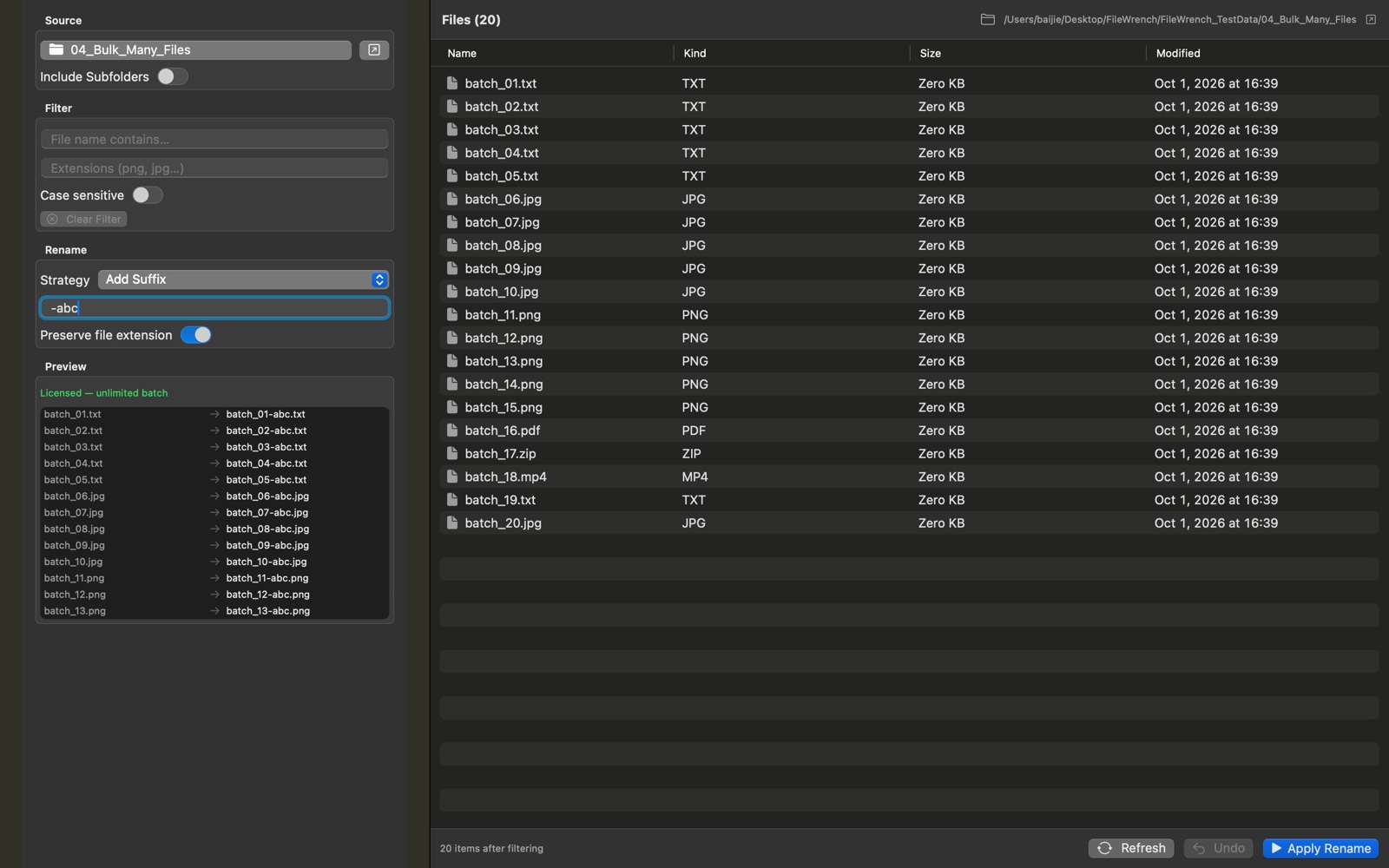
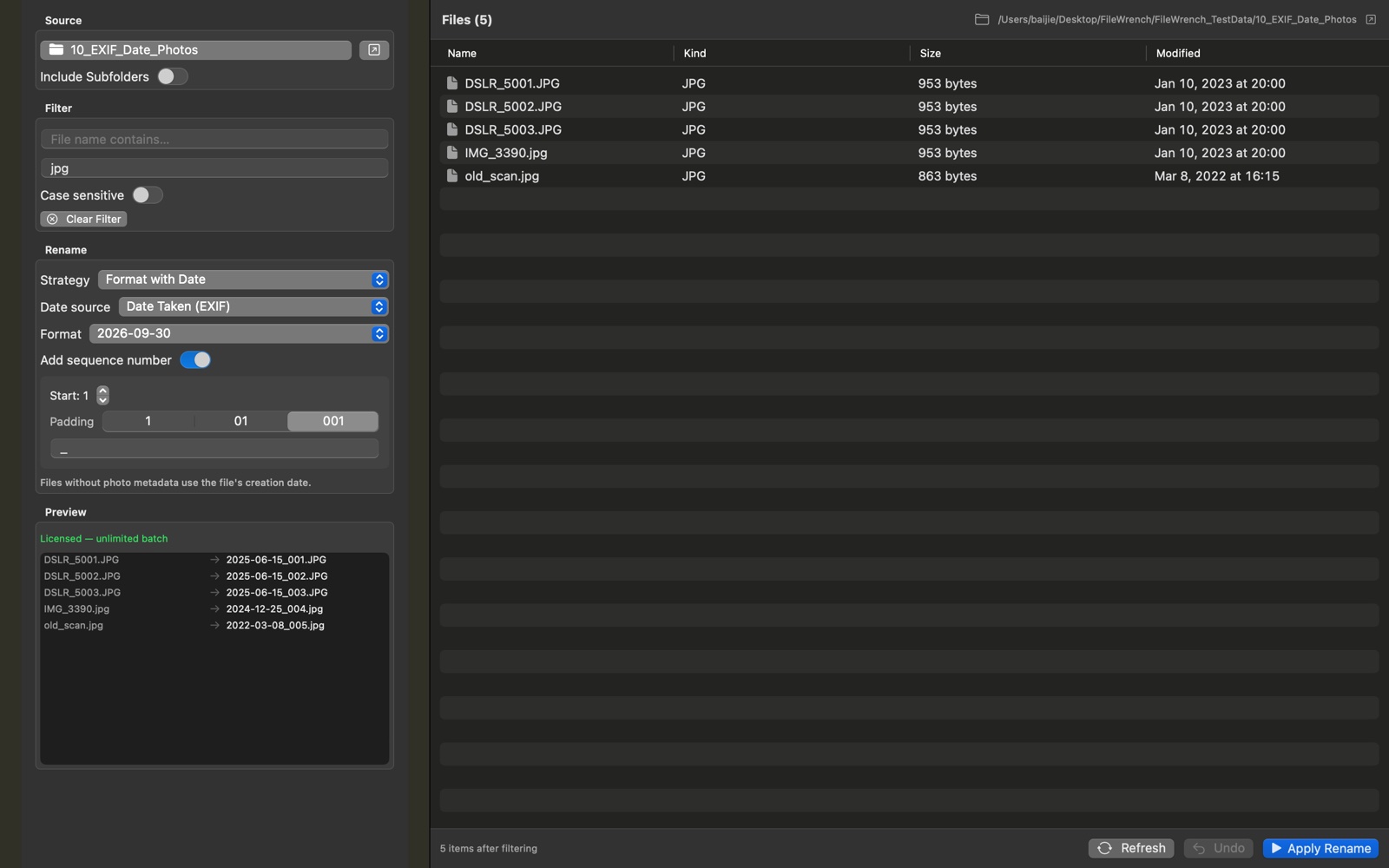
Add prefix or suffix numbers with custom start, zero-padding (1, 01, 001), and custom separator. Perfect for organizing photos, designs, and project assets.
-
EXIF Shooting-Date Naming
Rename photos straight from the camera into tidy archive names like 2025-06-15_001.jpg, using the EXIF date taken. No EXIF? It falls back to the file date automatically — JPEG, HEIC, and RAW supported.
-
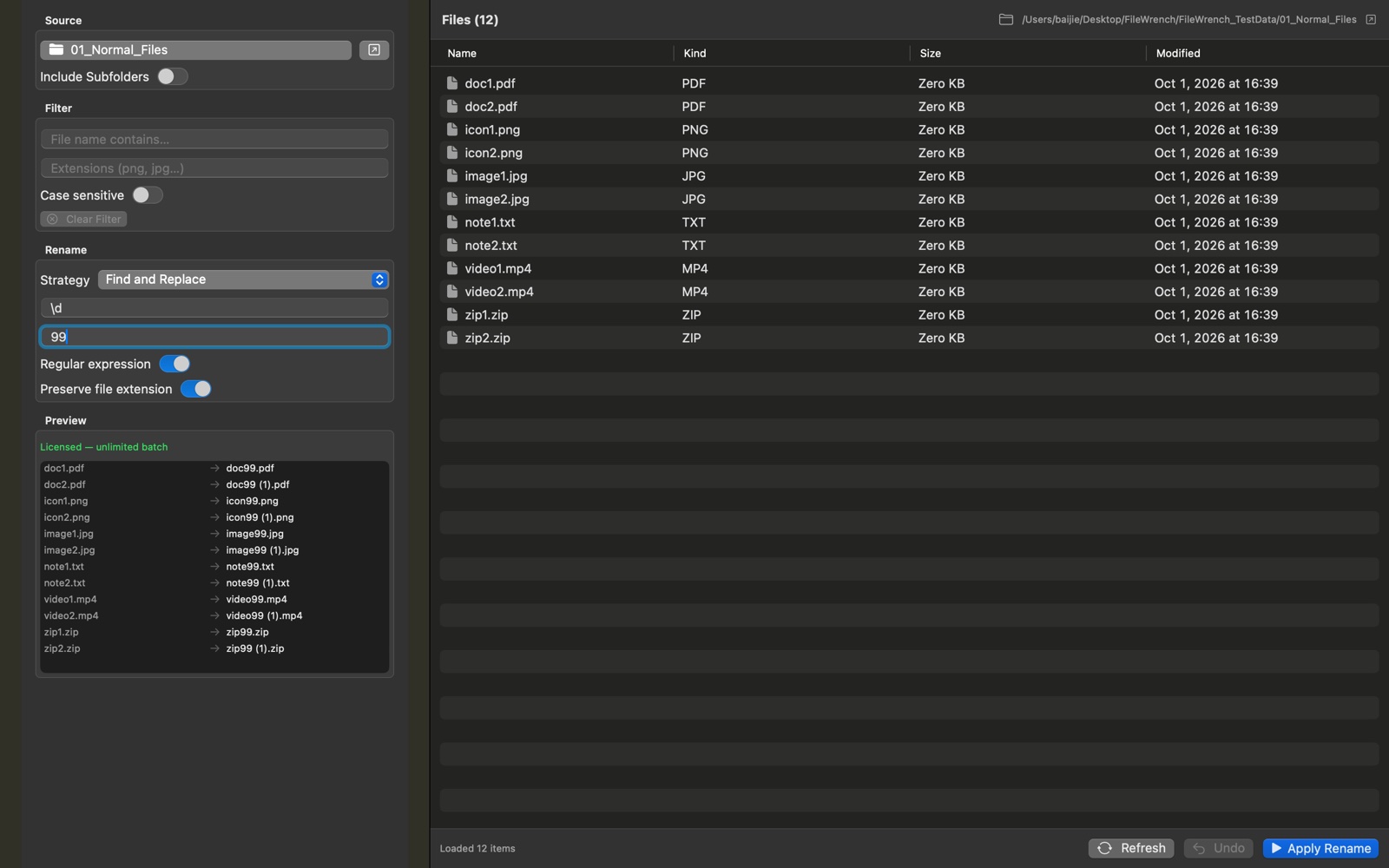
Find & Replace
Search for text in filenames and replace it instantly across hundreds of files. Switch on regular expressions for pattern matching and capture groups. Clean up inconsistent naming in seconds.
-
Real-time Preview
See exactly how every file will be renamed before you commit. Skipped files are clearly marked so there are no surprises.
-
Conflict Detection
Automatically detects and resolves naming conflicts before they happen. No accidental overwrites, no lost files.
-
One-Click Undo
Every batch operation is fully reversible. Made a mistake? Undo instantly — no irreversible changes, ever.
-
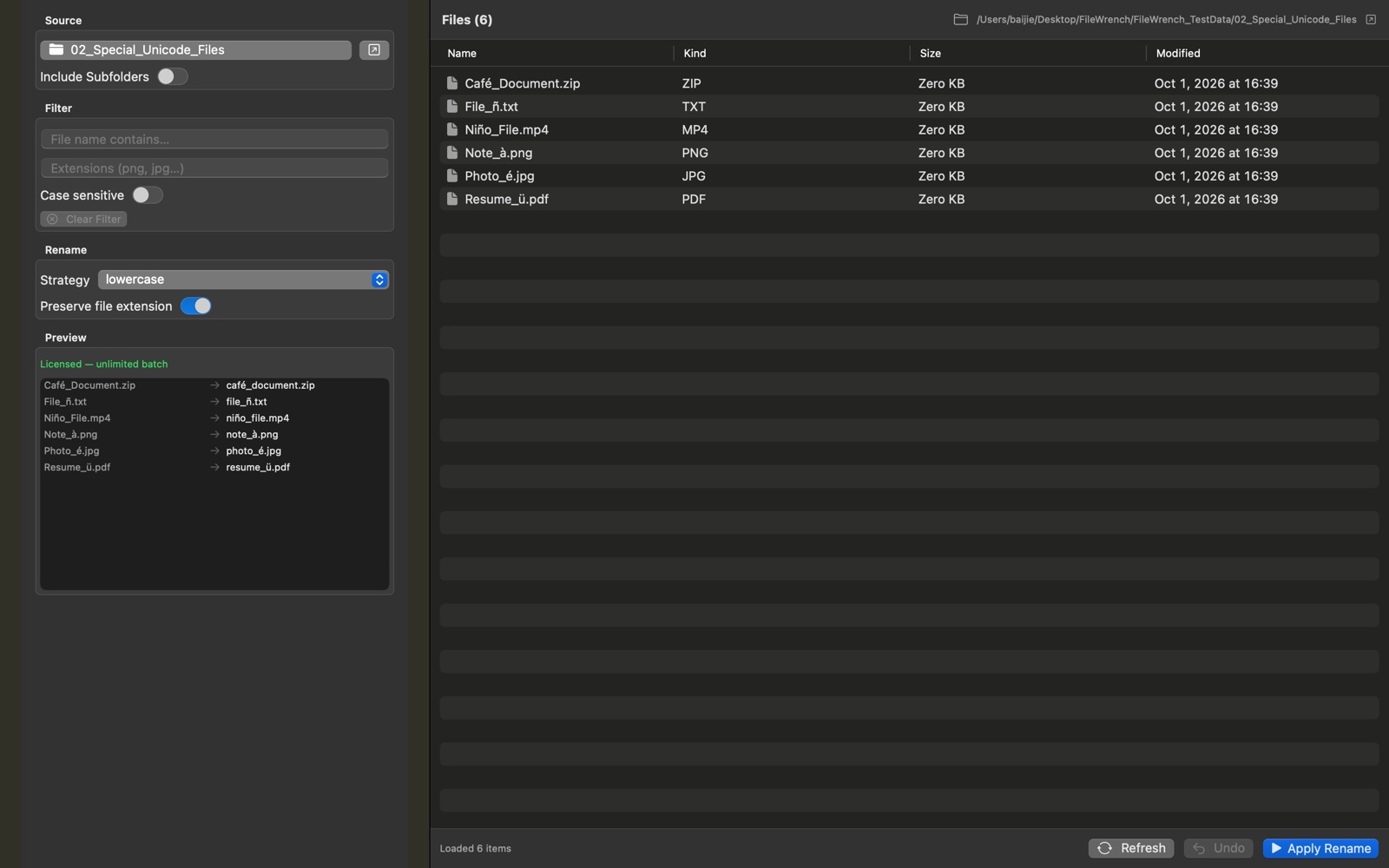
Unicode-Safe Processing
Handles NFC and NFD encoded filenames correctly. Accented characters like é, ü, ñ, à are processed without corruption or data loss.
-
Folder Safety
Only renames files — never touches folder names or directory structure. Your project paths and organization stay intact.
-
Native & Lightweight
Built with pure SwiftUI for macOS. Tiny footprint, instant launch, zero background processes. Runs entirely offline.
Why Choose Renamely
A focused utility that respects your machine and your files.
- No ads, no background daemons, no telemetry
- 100% local processing — your files never leave your Mac
- Drag & drop reordering — custom sort order for sequence numbering
- Universal binary — native on both Intel and Apple Silicon Macs
- Supports macOS 12 Monterey and later
Pricing
Try it free. Buy once, use forever. No subscription.
Free Trial
$0
All features available. Up to 5 files per batch. No time limit, no signup.
- Full feature access
- Local-only processing
- 5 files per batch
App Store
Family Sharing$9.99
One-time purchase on the Mac App Store. Tied to your Apple ID.
- Unlimited files per batch
- Apple Family Sharing
- Free updates
Direct (DMG)
3 Macs$14.99
Download from novetool.com. License for up to 3 Macs.
- Unlimited files per batch
- 1 license, up to 3 Macs
- Free updates
Who is it for
Designed for anyone who handles files at scale on macOS.
- Photographers
- Designers
- Video Editors
- Content Creators
- Office Users
- Anyone managing bulk files on Mac
Screenshots
A clean, focused interface built around the rename operations you actually use.
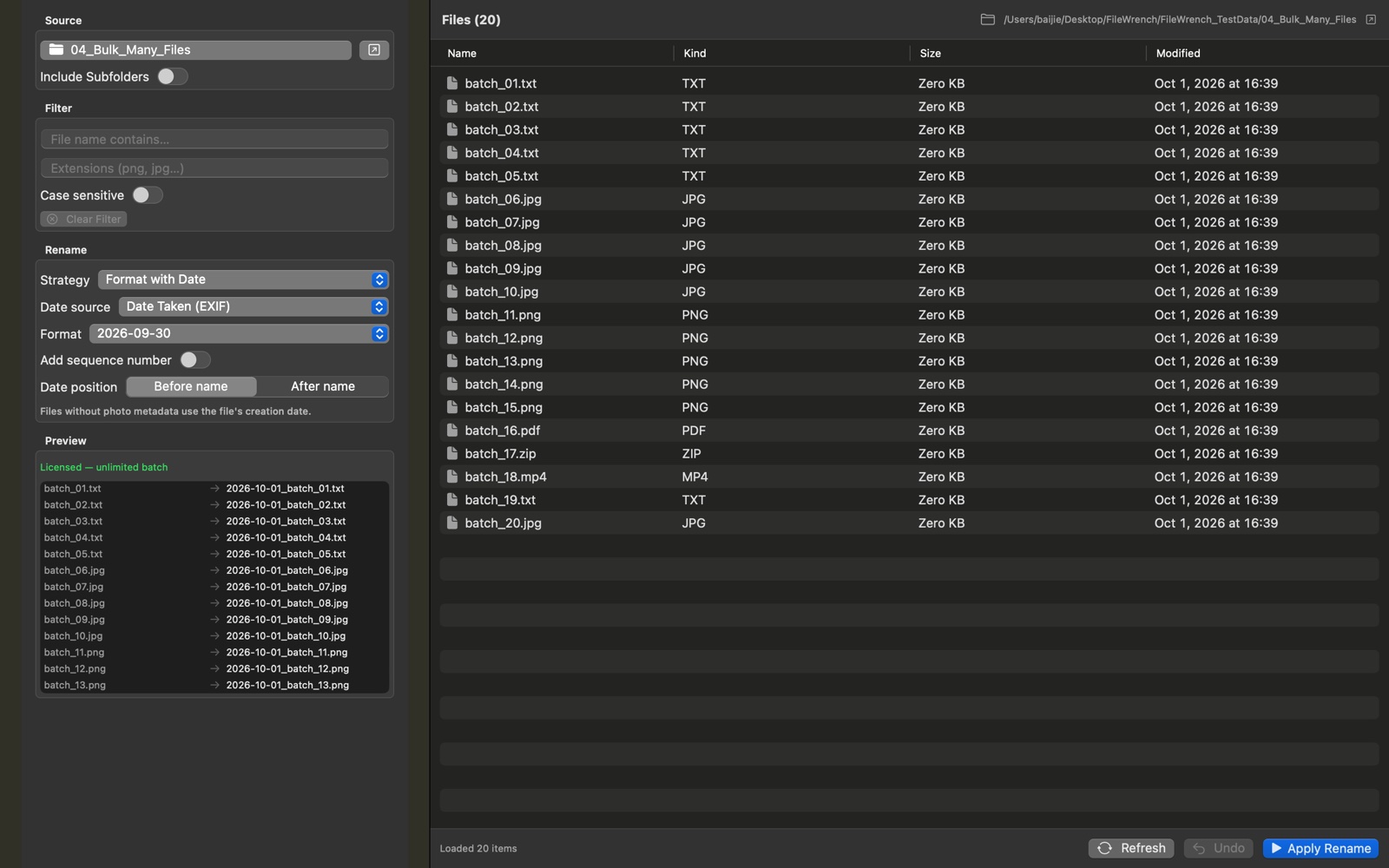
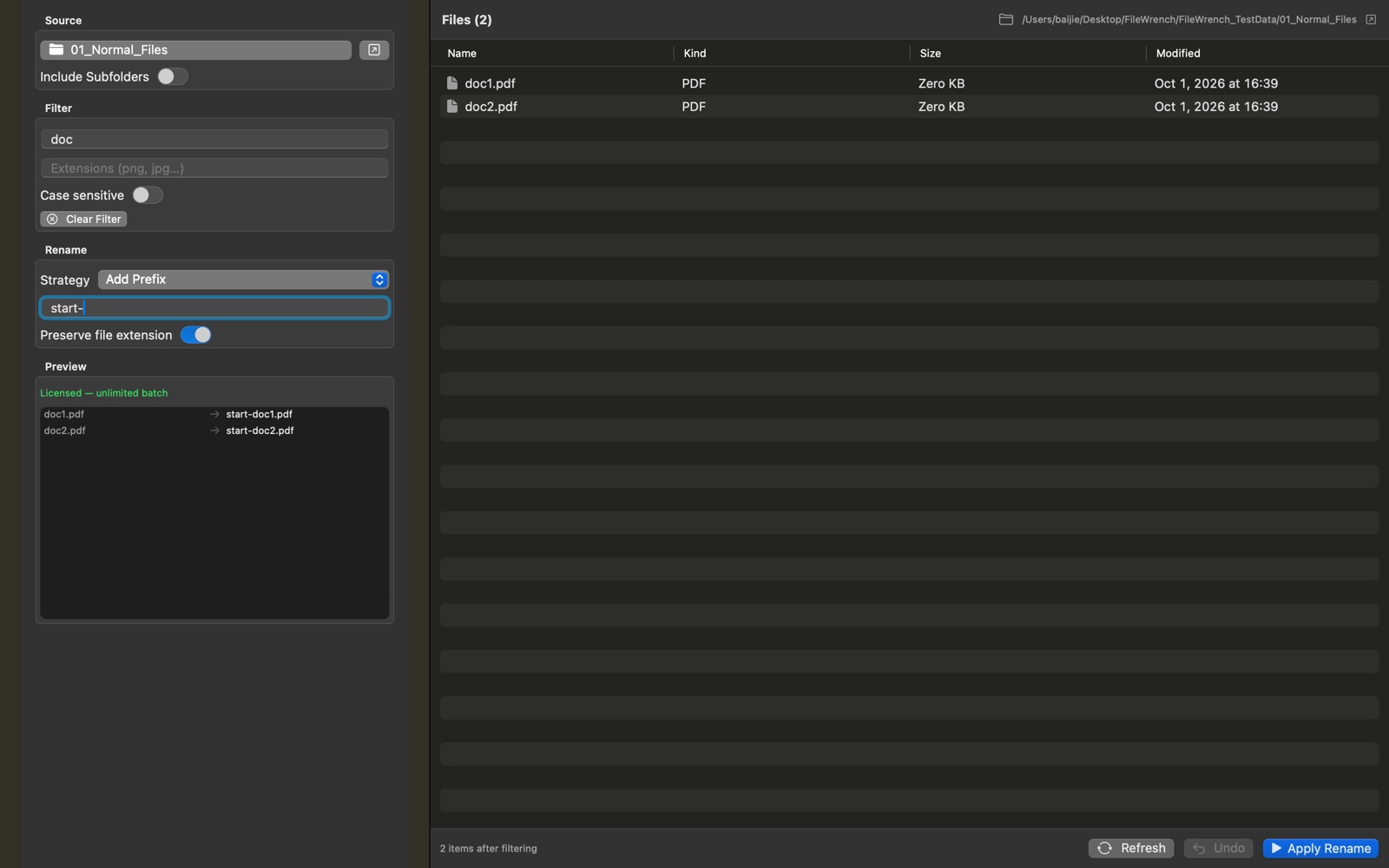
Rename files in seconds
Renamely runs locally on your Mac, processes even large batches instantly, and never uploads a single file.